Schedule Desktop App

Overview

A desktop teaching schedule manager built for freelance educators to streamline lesson planning, payment tracking, and monthly income management. Developed with Python 3, Tkinter for the user interface, tkcalendar for calendar navigation, and MySQL for persistent data storage, the application combines a clean, interactive GUI with a robust relational database. It supports full CRUD operations, financial reporting, and real-time weekly scheduling, providing a week-at-a-glance timetable, context menus for quick edits, and an integrated finance tracker that automatically calculates salaries and savings. Designed for ease of use and efficiency, it helps educators focus on teaching rather than administrative tasks.
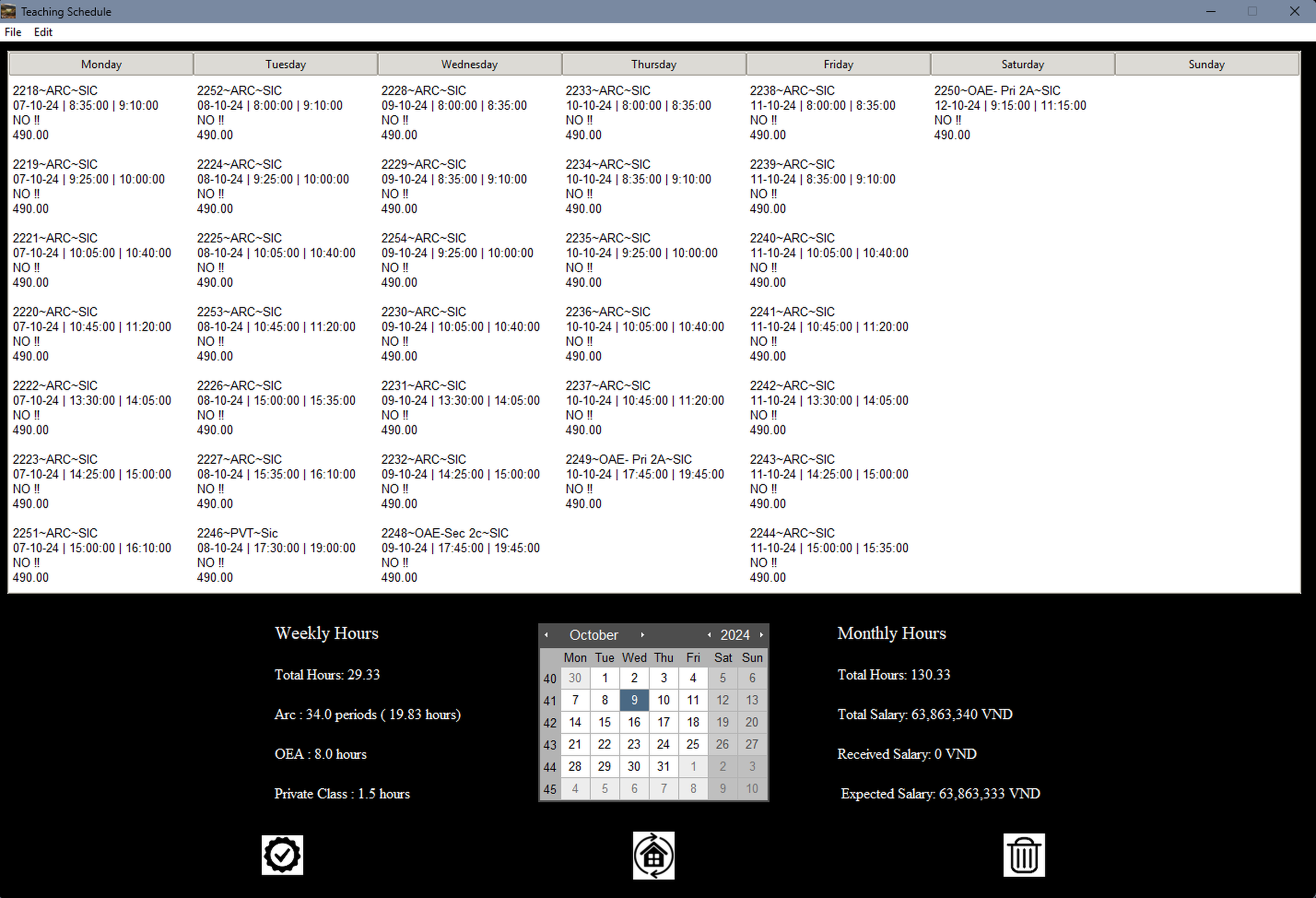
Schedule Dashboard

Tech Stack & Features

💻 Features

Category Highlights
Weekly Schedule Grid Auto-sorting by start time; Date Picker (tkcalendar); quick week jump; highlight unpaid classes
Financial Dashboard Weekly/monthly totals (hours, salary, received vs expected); ARC/OEA/private splits; ARC “periods” conversion
CRUD Operations Add, edit, duplicate, delete classes; bulk delete by week
Payment Management Toggle paid/unpaid per class; mark entire months as paid
Copy Week Tool Duplicate a week’s schedule
Monthly Income (Account) Track savings and salaries by month
Menus & Shortcuts File → Connection Settings / Exit; Edit → New Class (F1), Copy Classes (F4), Calculate Hours (F10), F5 to refresh

🛠 Tech Stack

Category Highlights
Frontend (GUI) Tkinter Treeview (clam theme); multi-line class cells
Calendar tkcalendar.Calendar & DateEntry in dialogs
Backend (Database) MySQL via mysql.connector

Pictures

SchedEye Screenshot